
Reviewing Mobile Play and App Features at Casino Breda for Netherlands Players
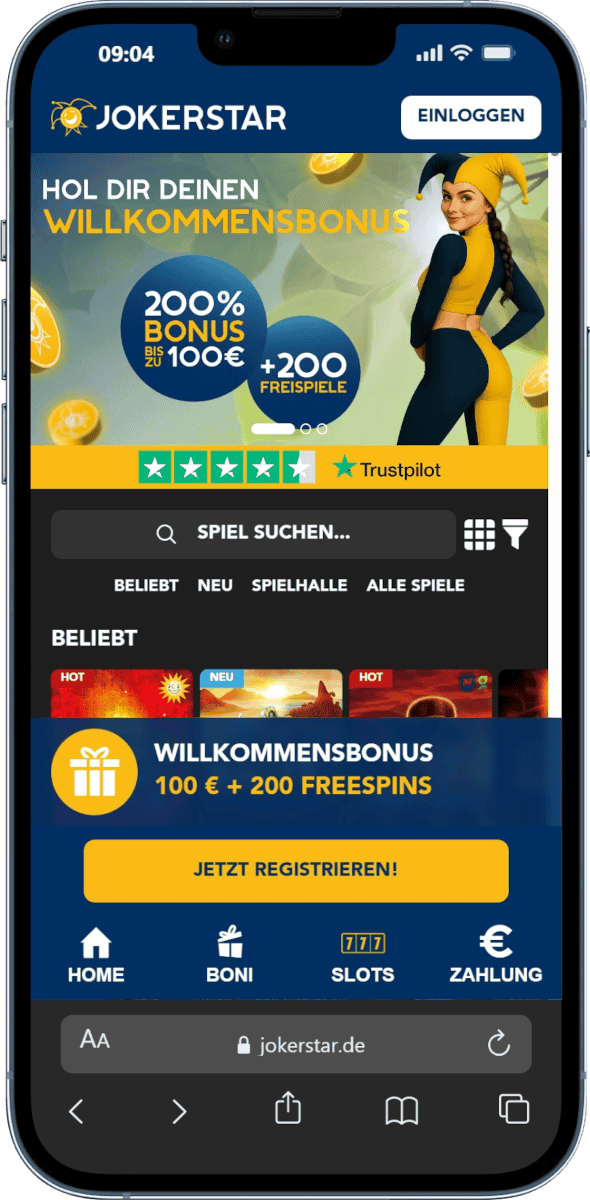
Netherlands players searching for a reliable way to experience casino games on the go will see that Casino Breda has constructed its platform around responsive design, fast loading times, and a uniform experience across phones and tablets. The site works smoothly in any modern browser, so there is no requirement to download software before putting the first bet or rotating the first reel. This article examines exactly how the mobile offering functions, what games are offered in portrait or landscape mode, which payment methods can be utilized directly from a phone, and how the brand maintains security and licensing standards required by Dutch regulators. By the end, readers will know whether Casino Breda is deserving of adding to their home screen and what practical steps to follow to get started today.
The way Casino Breda Tailors Its Lobby for Mobile Screens
Casino Breda utilizes a fluid layout that instantly tweaks button size, menu placement, and game thumbnails to suit the dimensions of any smartphone or tablet. When a player turns the device, the grid of slot titles repositions itself without cutting off text or forcing horizontal scrolling. The search bar stays fixed at the top of the viewport so users can enter a game name even while holding the phone one-handed. Category filters such as “Slots,” “Table Games,” and “Live Casino” collapse into a single swipe-down menu, stopping the screen from becoming cluttered. This approach guarantees the same account functions on desktop during lunch breaks and on mobile during evening commutes, erasing the need to remember separate passwords or re-enter verification codes.
Performance testing on typical Dutch 4G and 5G networks shows that the lobby loads in under three seconds on a mid-range Android handset. Individual game thumbnails are compressed yet preserve enough detail for quick recognition, Casino Breda app voor android, and the platform defers loading heavy animations until a title is selected. As a result, data usage remains modest even during longer sessions, an important consideration for players who depend on mobile data plans rather than unlimited home broadband. The same optimisation also benefits tablet users who favor larger visuals without sacrificing speed.
Support Services Designed for Mobile Users
Live chat is the quickest route to help and loads as a resizable window that avoids covering the full display on phones. Agents typically respond within ninety seconds throughout peak evening hours, and the chat log can be emailed to the player for later reference. A separate help centre offers searchable articles on verification, bonus rules, and payment troubleshooting, formatted with short paragraphs that display well on smaller viewports.
Telephone support can be accessed in Dutch and English from 08:00 to 01:00 CET, with the number listed at the bottom of every mobile page. Callback requests are possible through the chat window, after which an agent rings the player’s registered number in under fifteen minutes. Email support guarantees a reply inside four hours on weekdays and eight hours on weekends, handling topics that require document attachments such as payout reviews or account closure requests.
Game Types Designed for Touchscreen Controls
Slots form the largest section and feature adjustable bet sizes that appear in a wheel selector rather than minuscule plus-minus controls, making it easy to increase bets on the move. A lot of slots offer a quick-spin toggle that skips reel-stop animations, cutting every spin to roughly two seconds and permitting faster play on quick commutes connecting Breda and Rotterdam. Progressive jackpot games show the active prize in a rolling display that changes once per ten seconds, giving players live data without extra taps.
Table games have been reworked with larger betting circles and distinct chip amounts that react to the first touch as opposed to requiring long-press gestures. Roulette and blackjack tables provide a “peek” option that keeps hidden the dealer’s hole card until the round ends, reducing accidental taps that might otherwise alter a choice. Live casino streams automatically switch to a portrait layout when the device is held vertically, maintaining the roulette wheel or cards in the center of the screen as chat and stake panels arrange neatly underneath. This arrangement keeps important controls from disappearing off-screen when the keyboard pops up for chat text.
Registration and Deposit Steps on Portable Devices
Setting up an account at Casino Breda begins with clicking the green “Join Now” button displayed on each mobile page. The form requests only the fields required by Dutch gambling law: full name, date of birth, address, and a valid email or phone number. Because the Netherlands depends on the central Cruks register, the platform conducts an instant identity check against official records before permitting real-money play. Players get a six-digit SMS code that must be entered within three minutes, after which the account is flagged as verified and set for deposits.
The first deposit screen displays logos for the supported payment methods right beneath the amount selector. Selecting iDEAL, for example, activates the familiar bank app inside the phone’s browser tab, eliminating the need to copy and paste payment references. Minimum deposits start at €10 for most methods, while maximum limits per transaction are displayed in grey text so users are aware of the ceiling before confirming. Once the payment goes through, the bonus meter refreshes immediately, and a short on-screen message describes the wagering requirement linked to the welcome package.
Deposit Methods Available Right from Mobile Browsers
Casino Breda offers iDEAL, Bancontact, and several e-wallets that function inside any Dutch mobile browser without additional apps. iDEAL is the fastest option for deposits, with funds arriving in the account balance within seconds of bank confirmation. Withdrawals to the same iDEAL account typically process within one business day, although larger amounts above €5,000 may cause an extra compliance review lasting up to 48 hours. E-wallet withdrawals often complete within four hours once verification documents have been approved.
Players can keep one preferred payment method in their profile, reducing future checkout steps to a single fingerprint or face-ID confirmation. Transaction history is accessible from the same menu used on desktop, and each entry includes a downloadable PDF receipt for bookkeeping. Fees are clearly listed; Casino Breda itself does not apply for deposits or withdrawals, but users should confirm whether their bank or e-wallet provider applies its own small handling cost.
Security Measures That Secure Mobile Sessions
All communications between a Netherlands player’s device and Casino Breda’s servers is encrypted with TLS 1.3, the newest standard that blocks interception on public Wi-Fi networks found in cafés or train stations. The site presents a noticeable padlock icon in the browser bar, and players can tap it to view the current certificate details. Two-factor authentication is required for any withdrawal request exceeding €1,000, providing a second layer of confirmation via authenticator app or SMS.
Session timeouts take place after fifteen minutes of inactivity, immediately logging the user out to protect against lost or stolen phones. A prominent “Log out everywhere” button in the account settings lets players to end all active sessions from a single tap, handy if a device is misplaced. The platform also posts an annual security audit performed by an independent Dutch testing laboratory, and the latest report is attached in the footer for anyone who wants to examine encryption standards and random-number-generator certificates.
Gambling Safety Features Available on Mobile
Casino Breda embeds the Netherlands’ national self-exclusion register, Cruks, immediately into the sign-up flow so that any individual currently registered may not open an account. snelle feiten For players who want to set personal limits, the mobile menu presents daily, weekly, and monthly deposit caps that may not be raised until the existing period concludes. Reality-check pop-ups emerge every thirty minutes by default, showing total time played and net win or loss since the session began.
A “Take a Break” feature lets users pause their account for twenty-four hours, seven days, or thirty days without contacting support. During the break, login attempts receive a polite message explaining the remaining time and supplying a link to professional help resources. All limit changes are validated by a second screen that summarizes the new values in plain language, lowering the chance of accidental adjustments while commuting or multitasking.
What Genuinely Differentiates Casino Breda for Netherlands Players
Unlike many international brands that treat Dutch traffic as an afterthought, Casino Breda was developed from the ground up to fulfill the Netherlands’ strict licensing conditions. The platform recognizes a Dutch IP address and displays only games that have been authorized by the Dutch gambling authority, removing any titles that fall outside the regulated market. This curation means players never come across grey-area content that could later create issues with local regulators.
The brand also publishes all bonus terms in Dutch as well as English, using the same font size and layout so that language preference does not affect readability on mobile. Wagering requirements are expressed both as a multiplier and as an projected number of spins or hands, giving players a concrete sense of the task ahead. Combined with fast iDEAL processing and a transparent approach to responsible gambling, these details create a seamless experience that feels tailored rather than adapted for the Dutch market.
FAQ
Must I install an exclusive Casino Breda app for playing on my phone?
No dedicated app is required. The website adapts fully and operates in all modern mobile browser. You can save the site to your home screen for rapid access, and all games, payments, and account settings stay accessible without downloading extra software.
Which payment methods can be used for mobile deposits at Casino Breda?
iDEAL, Bancontact, and various popular e-wallets are supported directly through the mobile browser. Deposits via iDEAL normally appear instantly, while withdrawals back to the same method are handled within one business day for standard amounts.
How much time does account verification require on a mobile device?
The majority of Dutch players pass verification within minutes. After sending an ID upload, the automated system cross-checks details with the central Cruks register and delivers a confirmation SMS, permitting real-money play almost immediately after registration.
Am I able to set deposit limits straight from my smartphone?
Yes. The account menu includes sliders for daily, weekly, and monthly deposit caps. Every change is confirmed on a second screen, and limits cannot be increased again until the chosen period ends, following Dutch responsible gambling rules.
What happens if I lose my phone while logged into Casino Breda?
The site ends sessions after fifteen minutes of inactivity. You can also employ the “Log out everywhere” button from another device or reach live chat to block the missing phone instantly, protecting your balance and personal data.
Can live dealer games work in portrait mode on mobile?
Live dealer streams automatically adjust to portrait orientation. The dealer video fills the upper half of the screen, while betting controls and chat stack below, keeping every button reachable without rotating the device.
Will Casino Breda add fees for mobile deposits or withdrawals?
Casino Breda itself imposes no fees. ga naar de pagina However, some e-wallet providers might apply a small handling charge. Make sure to check the payment screen for the exact amount before confirming any transaction.